Post the right program in comment....

Way of C Learning - CPU(2110003)
Tuesday, September 23, 2014

Monday, September 22, 2014
Hardware & Software
What is Computer?
A Computer
is Electronic device that can
· accept data,
· store data,
· Process data as desired,
· retrieve the stored data as and when required
· print the result in desired format.
· store data,
· Process data as desired,
· retrieve the stored data as and when required
· print the result in desired format.
-Computer consists
of mostly two types of components.
-These
components (1) hardware and (2) software.
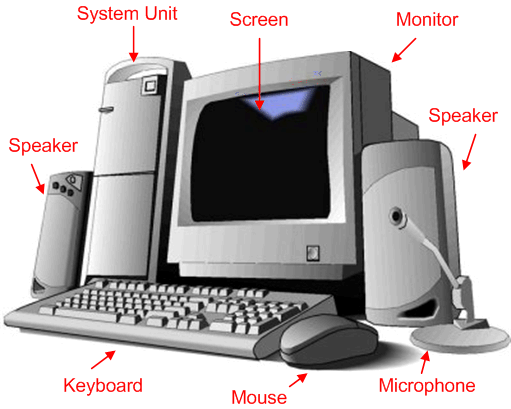 |
| Computer System |
(1) Hardware:
-The stuff
you can actually see and touch are Hardware.
Examples:
1. Monitor
2. Motherboard
3. CPU
4. RAM
5. Expansion cards
6. Power supply
7. Optical disc drive
8. Hard disk drive
9. Keyboard
10. Mouse
1. Monitor:
A computer
monitor is an electronic device that shows pictures. Monitors
often look similar to televisions.
There are
three types of computer displays:
- CRT monitor
- LCD monitor
- Video Projectors
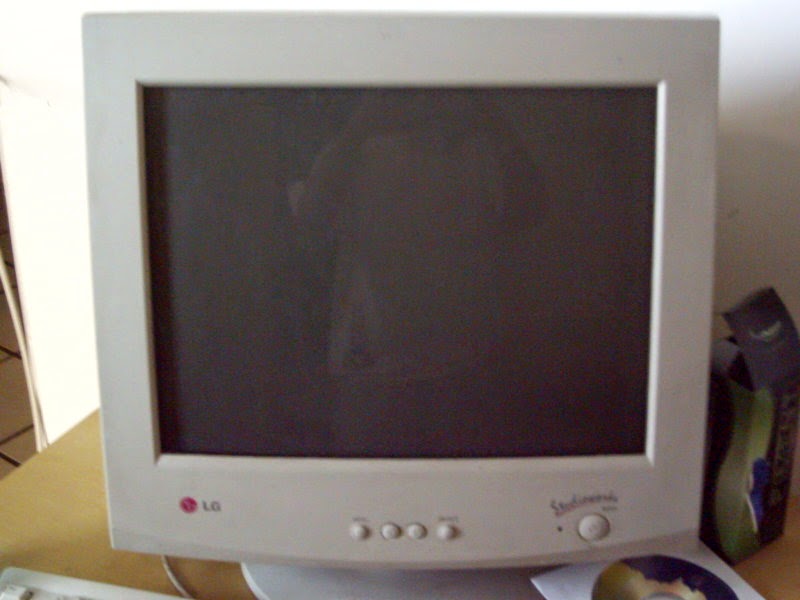 |
| 1. CRT Monitor |
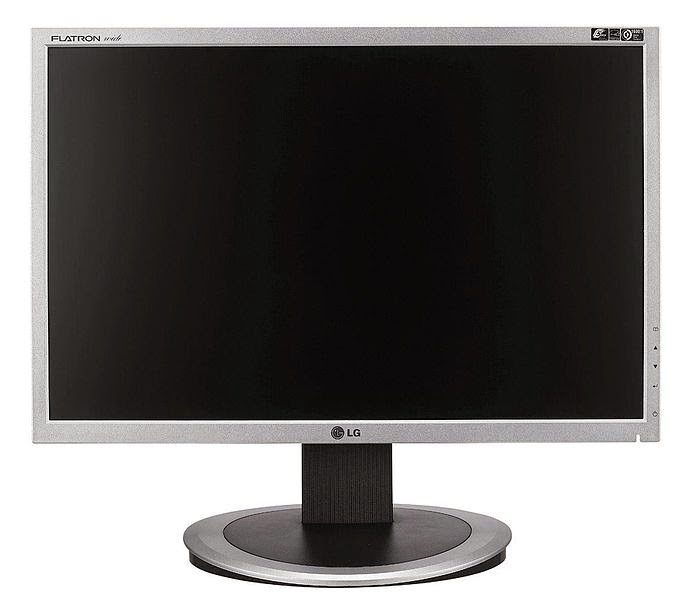 |
| 2.LCD monitor |
2. Mother Board
- — The motherboard or main board is the main circuit board in a complex electronic system, like a computer.
- — It is the most 'central' part of a computer.
- — All of the different parts of the computer are connected to the motherboard.
- — In most computers, the motherboard is a big green board, but many come in different colors like black, red and yellow.
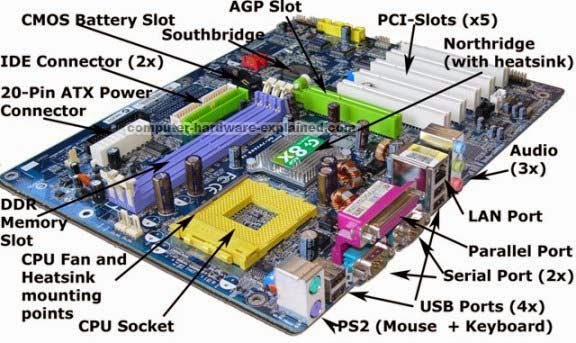 |
| Mother Board |
3. A Central Processing Unit (CPU)
- — A Central Processing Unit (CPU) is a set of components in digital Computer that interprets computer program instructions and process data and provides the formatted output.
- — 2 Major Manufactures are there:
¡ Intel
¡ AMD
 |
| CPU |
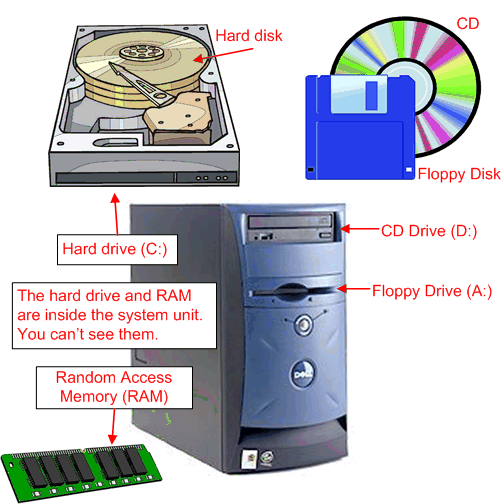
4. Random access memory (RAM)
RAM is the memory or information storage in
a computer.
- RAM is used to store running programs and data for the programs.
- — Data or information in the RAM can be read and written quickly in any order.
- — Normally, the random access memory is in the form of computer chips.
- — Usually, the contents of RAM are accessible faster than other types of information storage but are lost every time the computer is turned off.
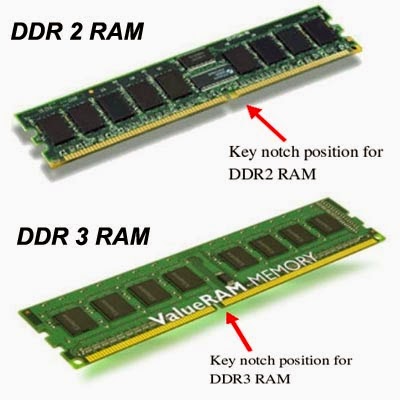 |
| RAM |
5. The expansion card
- — The expansion card in computing is a printed circuit board that can be inserted into an electrical connector, or expansion slot on a computer motherboard, backplane or riser card to add functionality to a computer system via the expansion bus.
- An expansion bus is a computer bus which moves information between the internal hardware of a computer system (including the CPU and RAM) and peripheral devices. It is a collection of wires and protocols that allows for the expansion of a computer.
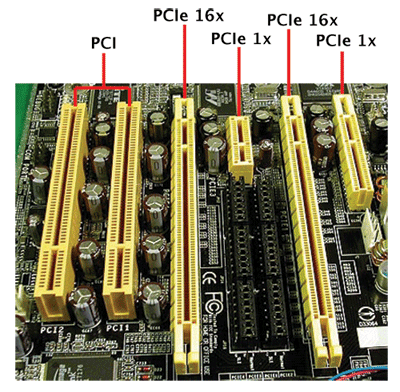 |
| Expansion Card |
6. A power supply unit (PSU)
- PSU converts mains AC to low-voltage regulated DC power for the internal components of a computer.
- — Modern personal computers universally use a switched-mode power supply.
- — Some power supplies have a manual selector for input voltage, while others automatically adapt to the supply voltage
 |
7. An optical drive
- It is usually a CD drive or DVD drive.
- — Optical means it uses lenses.
- — The drive uses a light called a laser. A laser is the most exact and powerful sort of light but the laser in the drive is very, very small.
- — Types of Optical Drive
¡ CD Drive
¡ DVD Drive
¡ Blue-ray
Drive
¡ HD-DVD
Drive
8. A hard disk drive (HDD)
- HDD is something used by computers to store information.
- — Hard disks use magnetic recording (similar to the way recording is done on magnetic tapes) to store information on rotating circular platters.
- — The capacity of a hard drive is usually measured in gigabytes (GB).
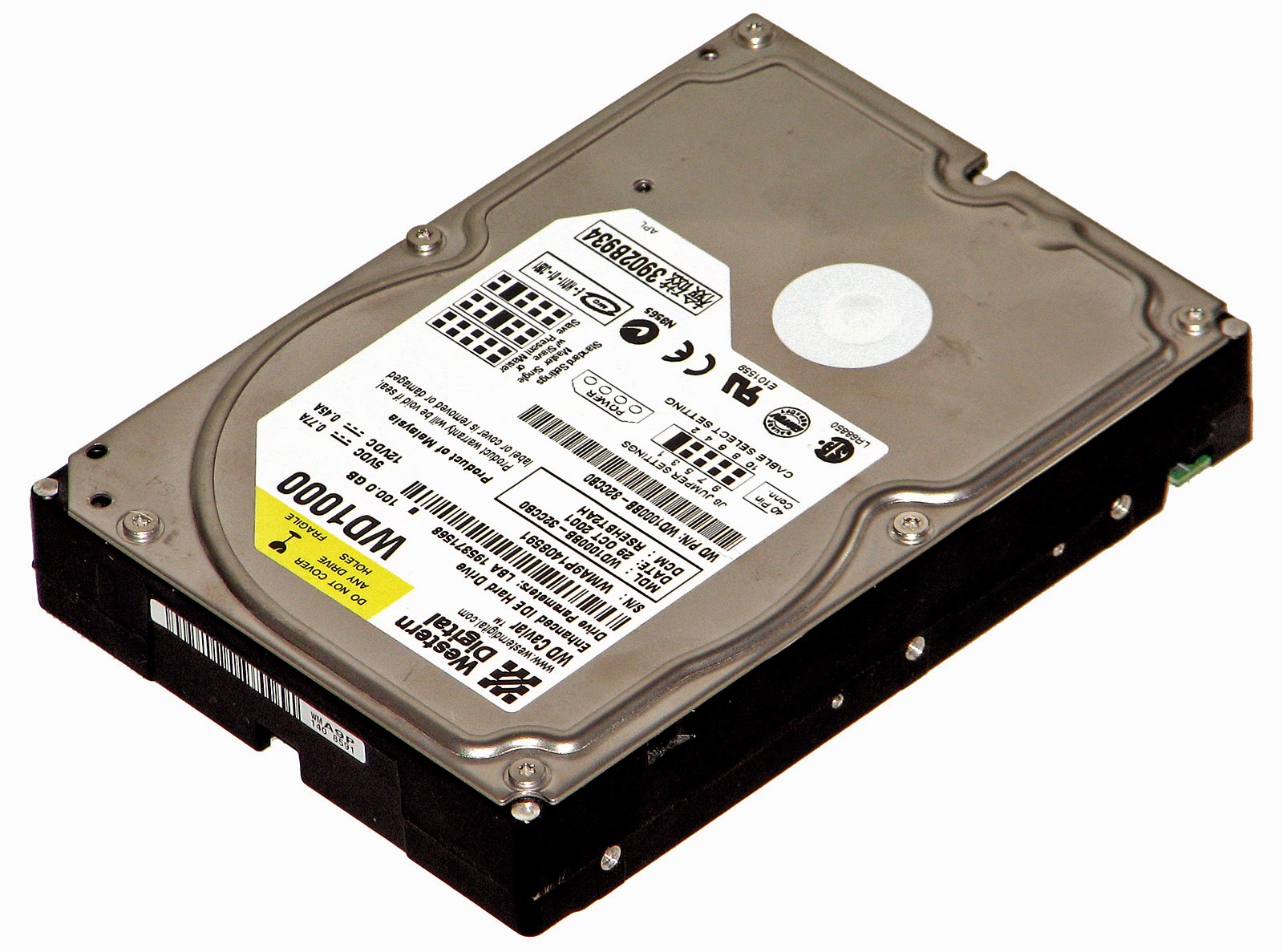 |
| HDD |
9. A computer
keyboard
- A computer keyboard is an important device that allows a person to enter symbols like letters and numbers into a computer.
- — It is the main input device for most computers.
- — The most popular type is the QWERTY design, which is based on typewriter keyboards.
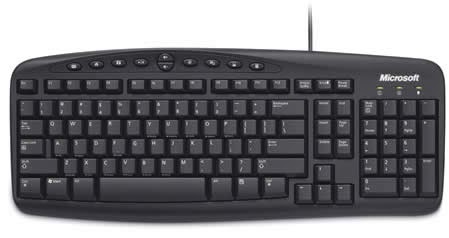 |
| Computer keyboard |
10. A computer
mouse
- It is an input device that is most often used with a personal computer.
- — Moving a mouse along a flat surface can move the on-screen cursor to different items on the screen.
- — Items can be moved or selected by pressing the mouse buttons (called clicking).
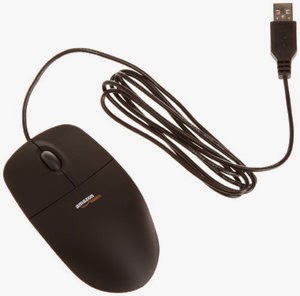 |
| Computer Mouse |
(2) Software:
Software
is a set of instructions which makes a computer to perform a particular task.
There are
three types of software:
(a). System Software
(b). Application Software
1. (a) System Software
System software is a
collection of one or more programs used to control and coordinate the hardware
and other application software.
Generally the system software may perform the following functions:
·
Communicates with hardware devices.
·
Controls and monitors the proper use of various hardware resources
like CPU, memory, peripheral devices like monitor, printer etc.
·
Supports the execution and development of other application
software.
Examples of system software
are:
1.
Operating
system
2.
Programming
language translator
3.
Communication
software
4.
Compiler
and Interpreter
2. (b) Application Software
Application software is a
collection of one or more programs used to solve a specific task.
Generally software used in
banking industry, airline/railway reservation, generation of telephone or
electricity bills etc. all fall under application software.
Examples of application software are:
1. Word processing software
2. Database Software
3. Education Software
4. Audio-Video Software
Types of Software:
Software is a set of instructions which makes a computer to
perform a particular task.
There are two types of software:
- System
Software
- Application
Software
System Software
- System software is a collection of one or more programs used to
control and coordinate the hardware and other application software.
- Generally the system software may perform the following functions:
- Communicates
with hardware devices.
- Controls and monitors the proper use of various hardware
resources like CPU, memory, peripheral devices like monitor, printer etc.
- Supports the execution and development of other application
software.
Examples of system software are:
1.
Operating system
2.
Programming language translator
3.
Communication software
4.
Compiler and Interpreter
Application
Software
- Application
software is a collection of one or more programs used to solve a specific task.
- Generally
software used in banking industry, airline/railway reservation, generation of telephone or electricity bills etc. all fall under application software.
Examples of application
software are:
1.
Word processing software
2.
Database Software
3.
Education Software
4.
Audio-Video Software
Friday, September 19, 2014
Structure of C program:
 |
| basic structure of c program |
2-Link Section
3-Definition Section
4-Global Declaration
5-Main()
{
Declaration Section
Execution (logic) Section
}
6-Subprogram Section
7-User defined function Section
1.Documentation Section
-in this Section we define comment like program definition, name of programmer, etc..
e.g. - /* */, //
2.Link Section
-This Section is the core part of the programe in which compiler links the inbuilt function from the system library.
e.g. - # include < >
3.Definition Section
-In this part, we define a symbolic constant.
e.g. – define PI = 3.14
4.Global Declaration
-When programmer wants to use some variables that are used in more than one functions at a time or at that time.
5.Main
-This section contains two parts.
1.Declaration parts in which all the variables and user defined functions(udf) are declared.
2.Execution part in which program logic and other process is done.
6.Subprogram Section
-It describes all the user defined functions(UDF) that are called in main section.
Subscribe to:
Posts (Atom)